Tamino — F&B Point of Sale & Operations System
Tamino is a desktop-first point-of-sale and operational management system designed for cafés, restaurants, bakeries, and other small F&B businesses. It brings order processing, payments, menu management, inventory monitoring, transaction records, staff roles, and business reporting into one clear operational workspace.
System Preview Gallery
Click Any Image to Enlarge & Zoom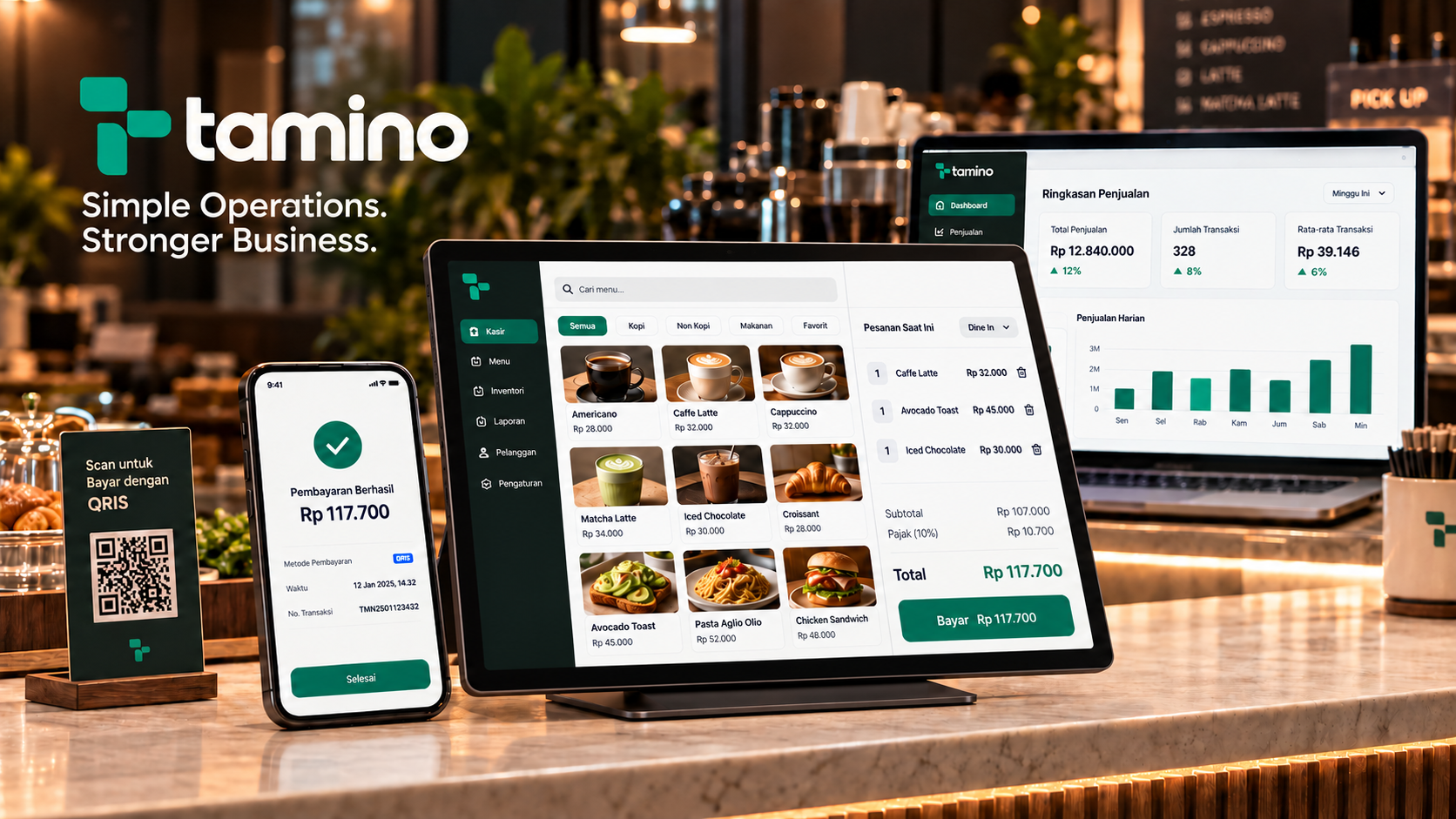
System Architecture Diagram
Tamino F&B Operating System Architecture
Operational architecture connecting cashier transactions, inventory tracking, role structures, and management decision support: POS Workspace → Transaction Engine → Inventory Control → Business Insights.
POS Workspace
Client / Operational Input
Transaction Engine
Business Logic
Inventory Control
Operational Records
Business Insights
Decision Support
POS Workspace
Client / Operational Input
Captures products, quantities, order types, table assignments, and payment selections through the cashier interface.
Interactive F&B Operating System Explorer (RUN, CONTROL & GROW)
Interactive Live PrototypeTamino — F&B Point of Sale & Operations System
A desktop-first F&B operating system connecting point-of-sale transactions, inventory monitoring, staff roles, payments, and business reporting.
Daily Execution
Core day-to-day operational execution: POS cashier, order taking, payments, menu catalog, inventory records, and transaction logs.
Managerial Visibility
Supervisory and owner oversight: Real-time sales visibility, stock condition alerts, top-performing product telemetry, and business reports.
Expansion Foundation
Architectural groundwork designed for future capabilities: customer CRM, loyalty engine, advanced business analytics, and AI assistant.
From Disconnected Tools to One Connected F&B Operating System
Small F&B businesses often manage sales, menu availability, inventory, payments, and reporting through separate tools or manual records. This creates fragmented information, delayed stock updates, limited visibility for owners, and unnecessary administrative work for staff.
Tamino was developed as an exploration of how a focused digital operating system could connect these workflows without overwhelming everyday users.
The product was designed around three operational roles—Owner, Manager, and Cashier—each requiring different levels of access and information. The result is a structured but approachable system that supports both frontline transactions and management-level decision-making.
The Operational Challenge
F&B teams need to process orders quickly while simultaneously maintaining accurate product availability, payment records, inventory levels, and daily sales information.
The key challenge was to connect these operational areas without creating a crowded or overly technical interface. Cashiers need speed, managers need operational control, and owners need concise business visibility.
The Product Solution
Tamino unifies the primary F&B workflow into one connected system:
The POS interface enables staff to search and select products, choose order types, assign tables, calculate tax, and simulate cash or QRIS payments. Operational data then flows into transaction history, inventory monitoring, sales summaries, product performance, payment breakdowns, and management alerts.
Primary Users & Role Hierarchy
3 Operational RolesExecutive Visibility
Access to the complete dashboard, reports, business settings, and user management.
Operational Control
Access to operational dashboards, menu management, inventory, transactions, and reports.
Frontline Execution
Focused access to the POS workflow and relevant transaction history.
Key Product & Design Decisions
- 01Designed around real operational rolesThe system separates Owner, Manager, and Cashier responsibilities to reduce unnecessary information and keep each workspace relevant.
- 02Prioritised transaction speedThe POS layout keeps product selection, categories, order details, totals, and payment controls within one focused operational view.
- 03Connected sales with inventory awarenessProducts display availability and low-stock status directly within the ordering workflow, helping staff avoid selling unavailable items.
- 04Turned data into operational prioritiesInstead of displaying metrics alone, the dashboard highlights items requiring attention, including low inventory and incomplete payments.
- 05Used plain business languageLabels such as “Kondisi bisnis hari ini,” “Perlu Perhatian,” and “Angka yang membantu Anda mengambil langkah berikutnya” make the system understandable to non-technical business users.
- 06Created a calm, premium interfaceThe visual direction uses restrained colour, clear hierarchy, generous spacing, and focused calls to action to reduce cognitive load in a busy operating environment.
Key Deliverables & System Capabilities
19 CapabilitiesProject Outcome & Operational Value
Tamino demonstrates how a small F&B business can manage daily sales and operational information from a single, structured workspace.
The interactive MVP connects cashier activities with inventory visibility and management reporting, reducing the separation between frontline transactions and owner-level decision-making.
The current version demonstrates the complete core workflow and interface direction. Data is stored locally in the user’s browser, payments are simulated, and the product is intended for product validation, workflow testing, and portfolio demonstration rather than live commercial transaction processing.